
Understanding SOPs: A Comprehensive Guide for Employees and Business Owners
Listen to this article

Ryan Pease
FOLLOW

If a key employee left tomorrow, how much of your business would walk out the door with them? For most small and mid-sized businesses, the honest answer is: too much. The institutional knowledge that keeps operations running smoothly often lives inside the heads of a handful of people, including the founder. Standard operating procedures exist to change that. This guide breaks down what SOPs are, why they matter for growing businesses, and how to build a system that your team will actually use.
What Are SOPs? A Plain-English Definition
A standard operating procedure (SOP) is a documented, step-by-step instruction set that describes exactly how a specific, repeatable task should be completed. The goal is simple: anyone who follows the SOP should be able to produce the same outcome, regardless of their experience level or how long they have been with the company.
Think of an SOP as the written version of "how we do things here." It captures the decisions, sequences, and standards that experienced team members carry in their heads, and puts them somewhere the whole team can access.
SOP vs. Process vs. Procedure vs. Policy: What Is the Difference?
These four terms get used interchangeably in most workplaces, but they are not the same thing. Understanding the distinction helps business owners build documentation that is actually useful rather than a tangled mess of overlapping documents.
Policy: A high-level rule or guiding principle. Example: "All client invoices must be sent within 24 hours of project completion."
Process: A broad sequence of activities that achieves a business outcome. Example: The client billing process covers everything from project completion to payment receipt.
Procedure: A more specific set of steps within a process. Example: The steps for generating and formatting an invoice in your billing software.
SOP: A fully documented, step-by-step work instruction for a specific task, often including roles, decision points, and version history. An SOP is the most granular and actionable form of documentation.
For a growing service business, the practical takeaway is this: policies set the rules, processes map the flow, and SOPs tell people exactly what to do at each step.
Why SOPs Matter for Small and Mid-Sized Businesses
SOPs are sometimes dismissed as corporate bureaucracy, the kind of thing that large enterprises need but small teams do not. That assumption is exactly backwards. The businesses that benefit most from SOPs are those in the $1 million to $10 million revenue range, with 10 to 50 employees, where coordination problems are growing but processes still live in people's heads.
Removing Founder and Key-Person Dependency
In most founder-led businesses, the founder is the SOP. They know how a proposal should be structured, how a client complaint should be handled, and which vendor to call when the usual one is unavailable. When that knowledge is never written down, the business cannot grow beyond what one person can personally oversee.
SOPs transfer that knowledge out of individuals' heads and into a shared system. This protects the business from turnover, enables real delegation, and creates the conditions for the founder to step back from daily execution.
Enabling Consistent Delivery as Headcount Grows
The quality of a service business often drops as it scales, not because the team becomes less talented, but because the informal knowledge that kept things consistent does not transfer automatically to new hires. SOPs close that gap by giving every team member the same starting point.
Reducing Costly Errors and Missed Handoffs
In businesses where work passes between team members, such as a marketing agency moving a project from strategy to design to copywriting, missed handoffs are expensive. An SOP for each transition point eliminates the "I thought you were handling that" moments that erode client relationships and team morale.
Key Components of an Effective SOP
A well-built SOP is more than a bulleted list of steps. The following components make the difference between documentation that collects dust and documentation that actually gets used.
Title: Clear and specific. "Client Onboarding SOP" is better than "Onboarding."
Purpose: A one or two sentence explanation of why this SOP exists and what outcome it produces.
Scope: Who this SOP applies to, and under what circumstances it should be followed.
Roles and responsibilities: Which team member or role owns each step.
Step-by-step instructions: The core of the document. Each step should be specific enough that someone new to the role can follow it without guessing.
Decision points: If/then logic for situations where the next step depends on a condition. Example: "If the client does not respond within 48 hours, send the follow-up email in Template B."
Version history: The date the SOP was created, who created it, and when it was last updated. This is critical for keeping documentation current.
Related documents: Links or references to templates, checklists, or other SOPs that connect to this one.
Common SOP Formats and When to Use Each
Not every task calls for the same format. Choosing the right structure makes an SOP easier to follow and more likely to be used.
Simple Numbered Steps
Best for short, linear tasks with no branching decisions. Example: the steps to send a weekly status report to a client. This format is easy to write and easy to follow.
Hierarchical Steps
Best for more complex tasks where major steps contain sub-steps. Example: a new employee setup SOP that includes IT access, payroll setup, and tool provisioning as separate sub-sections. This format works well when a task has distinct phases.
Flowchart or Graphic Procedure
Best for processes with multiple decision points or branching paths. Example: a client escalation procedure where the next step depends on the severity of the issue. Visual formats are especially useful for teams where reading long documents is a barrier.
Checklist Format
Best for recurring tasks where the sequence matters less than completeness. Example: a pre-launch checklist before a website goes live. Checklists are the most practical format for field teams and operational roles.
How SOPs Remove Founder and Key-Person Dependency
This is one of the most underappreciated benefits of building an SOP library, and it is the core reason growing businesses invest in documentation.
Most founder-led businesses reach a point where the owner is the bottleneck. Decisions cannot be made without them. New hires cannot be trained without them. Client relationships cannot be managed without them. This is not a leadership problem; it is a systems problem. The knowledge required to run the business has never been extracted from the founder's head.
SOPs solve this by creating what might be called an operating system for the business. Each SOP is a piece of that system. When enough of them exist, the team can operate, onboard new members, and handle most situations without the founder being present for every decision.
The same principle applies to key employees. When a senior team member who has been with the business for seven years leaves, their departure does not have to be catastrophic if their knowledge is already documented. The SOP library becomes the institutional memory of the business.
Which Processes in Your Business Need an SOP First?
One of the most common mistakes business owners make when starting an SOP initiative is trying to document everything at once. A more practical approach is to identify the highest-priority processes first. Here is a simple self-assessment to guide that decision.
Ask these questions about each candidate process:
Does this process repeat at least once a week or once a month?
Does it involve more than one person or require a handoff?
What is the cost of doing it inconsistently? (Client churn, rework, delays, revenue loss?)
Is the knowledge for this process currently held by only one or two people?
Does a new hire need to perform this task within their first 90 days?
Processes that score "yes" on three or more of these questions should be documented first. For most service businesses, the highest-priority SOPs tend to cluster around client onboarding, recurring delivery or fulfillment, invoicing and payment follow-up, and employee onboarding.
SOP Examples Across Service Business Roles
Abstract definitions only go so far. Here are three concrete SOP examples that illustrate what these documents look like in a real service business context.
Client Onboarding SOP
This SOP covers every step from signed contract to the client's first deliverable. It includes: sending the welcome email and onboarding questionnaire within 24 hours, scheduling the kickoff call, setting up the client folder and project management workspace, assigning team roles, and confirming the project timeline. The SOP specifies who owns each step and what tool or template to use.
Employee Offboarding and Handoff SOP
This SOP ensures that when a team member leaves, their knowledge and active work are transferred cleanly. It covers: notifying clients if appropriate, documenting active project status, transferring system access, completing a knowledge-transfer session with a designated successor, and archiving the departing employee's files.
Recurring Delivery or Fulfillment SOP
For a marketing agency, this might cover the steps to deliver a monthly client report: pulling data from each platform, populating the report template, running a quality check against the previous month's numbers, writing the executive summary, and sending the report with a follow-up call scheduled within 48 hours.
A Real SOP Example: Client Onboarding for a Service Business
Here is a complete, realistic SOP structure that a service business could use as a model. This example is written for a consulting or professional services firm.
Title: New Client Onboarding SOP
Purpose: To ensure every new client receives a consistent, professional onboarding experience that sets clear expectations and reduces early-stage confusion.
Scope: Applies to all new client engagements. Owned by the Account Manager assigned to the client.
Roles: Account Manager (primary), Operations Coordinator (support), Finance (invoice setup).
Steps:
Within 4 business hours of contract signing: Send the Welcome Email using Template OB-01. Attach the Client Intake Questionnaire.
Within 24 hours: Create the client folder in the project management system using the New Client Setup Checklist (Checklist OB-02).
Within 24 hours: Notify Finance to set up the client billing profile and confirm payment terms.
Within 48 hours: Schedule the kickoff call using the Calendly link. Confirm attendance from all required internal team members.
Before the kickoff call: Review the completed intake questionnaire. Prepare the kickoff agenda using Template OB-03.
During the kickoff call: Confirm project scope, timeline, communication preferences, and escalation contacts. Record the call if the client consents.
Within 24 hours of the kickoff call: Send the meeting summary email using Template OB-04. Confirm the next milestone date.
Day 14: Conduct a 14-day check-in call to confirm the client is satisfied with the onboarding experience. Log the outcome in the CRM.
Decision point: If the intake questionnaire is not returned within 48 hours, send the first follow-up using Template OB-05. If no response within 72 hours, escalate to the Account Director.
Version: 1.2 | Last updated: June 2026 | Owner: Operations Team
How to Write an SOP Your Team Will Actually Use
Writing an SOP is not a solo activity. The most accurate and usable SOPs are built by involving the people who actually perform the task.
Step 1: Extract the Knowledge
Sit with the person who does the work and ask them to walk through the task out loud while you document it. Record the conversation if possible. The goal is to capture what they actually do, not what they think they should do.
Step 2: Write at the Right Level of Detail
A useful rule of thumb: write the SOP for someone who is competent but new to this specific task. Do not assume they know your tools, your clients, or your internal shorthand. At the same time, avoid over-explaining basic skills the role requires. If the SOP is for an account manager, you do not need to explain how to send an email.
Step 3: Test It
Have someone who does not normally perform the task follow the SOP without any verbal guidance. Where they get stuck or confused is where the SOP needs more detail or clarity.
Step 4: Get Team Buy-In
People follow SOPs they helped create. When team members are involved in the drafting and review process, they are more likely to treat the SOP as a useful tool rather than an imposition from management.
Why Most SOPs Fail (And How to Make Yours Stick)
The most common SOP failure is not a writing problem. It is an adoption problem. Documents get created, filed in a shared drive, and never opened again. Here is why that happens and how to prevent it.
Reason 1: The SOP Is Not Easy to Find
If team members have to dig through folders to locate an SOP when they need it, they will not use it. SOPs need to live where work happens, inside the project management system, the CRM, or the onboarding checklist, not in a separate documentation repository that no one visits.
Reason 2: The SOP Is Not Embedded in the Workflow
The most effective SOPs are not standalone documents; they are integrated into the tools and processes the team uses daily. A client onboarding SOP that is embedded as a task template in the project management system will be used far more consistently than a PDF in a shared folder.
Reason 3: There Is No Accountability for Following It
If following an SOP is optional, many people will skip it. Managers need to reinforce SOP use during onboarding, in quality reviews, and when errors occur. The SOP should be the first reference point, not an afterthought.
Reason 4: The SOP Is Outdated
An SOP that reflects how things were done 18 months ago will quickly lose credibility. Assign a review cycle to every SOP (quarterly or annually, depending on the process) and assign ownership to a specific person, not a team.
Benefits of Implementing SOPs in Your Business
When SOPs are built well and used consistently, the benefits compound over time.
Faster onboarding: New hires can get up to speed in days rather than weeks when the knowledge they need is documented and accessible.
Consistent quality: Clients receive the same standard of service regardless of which team member handles their account.
Reduced founder involvement: The owner can step back from daily execution because the team has the tools to make decisions independently.
Scalability: Adding new team members or opening a new location is significantly less risky when processes are documented and repeatable.
Business continuity: When a key employee leaves, their knowledge stays with the business.
Easier quality improvement: You cannot improve a process that is not documented. SOPs create the baseline that makes continuous improvement possible.
SOPs as Your Business Operating System: From Chaos to Scale
Most business owners think of SOPs as documentation. The more useful frame is to think of them as infrastructure. Just as a growing company eventually needs accounting software, a CRM, and a project management platform, it also needs a documented operating system: a library of SOPs that captures how the business actually works.
When that operating system is in place, several things become possible that were not possible before. The founder can take a two-week vacation without the business stalling. A new hire can reach full productivity in their first month. The business can open a second location or add a new service line without everything depending on one person's ability to be in two places at once.
This is the connection that most SOP guides miss: SOPs are not just about compliance or reducing errors. They are the mechanism by which a founder-led business transitions from a business that runs on people to a business that runs on systems. That transition is what makes revenue growth sustainable rather than exhausting.
For businesses in the $1 million to $10 million range, this shift is often the difference between a business that scales and one that plateaus because the founder runs out of hours.
Common Challenges and How to Overcome Them
Challenge: Experienced Employees Resist Documentation
Long-tenured team members sometimes feel that documenting their knowledge makes them less valuable or implies they are not trusted. The reframe that works: SOPs protect them. When their knowledge is documented, they are no longer the single point of failure for critical processes. They can take time off, move into a different role, or delegate without everything falling apart.
Challenge: Keeping SOPs Current
Processes change, tools change, and team structures change. SOPs that are not updated become liabilities rather than assets. The solution is to assign a named owner to every SOP and build a review schedule into the company's operational calendar. A quarterly SOP review meeting is a practical starting point for most SMBs.
Challenge: Knowing Where to Start
The answer is almost always client onboarding. It is the process most directly connected to client experience, it involves multiple team members and handoffs, and it is usually the first area where inconsistency becomes visible to clients.
Frequently Asked Questions About SOPs
What is an SOP and example?
An SOP (standard operating procedure) is a documented, step-by-step guide for completing a specific, repeatable task. An example would be a client onboarding SOP for a consulting firm that outlines every step from sending the welcome email to conducting the 14-day check-in call, including who is responsible for each step and which templates to use.
What are the five parts of an SOP?
While SOP structures vary, the five essential components are: (1) title and purpose, (2) scope and applicability, (3) roles and responsibilities, (4) step-by-step instructions with decision points, and (5) version history and review schedule. Some SOPs also include a section for related documents or templates.
What are the three types of SOP?
The three most commonly recognized SOP types are: (1) step-by-step SOPs, which use a simple numbered list for linear tasks; (2) hierarchical SOPs, which organize complex tasks into major steps with sub-steps; and (3) flowchart or graphic SOPs, which use visual diagrams for processes with multiple decision points or branching paths. The right type depends on the complexity of the task and the audience.
What are some common SOPs in a service business?
Common SOPs in service businesses include client onboarding, project kickoff, invoice generation and follow-up, employee onboarding, client offboarding, recurring reporting or delivery, escalation handling, and employee offboarding. The highest-priority SOPs are typically those that involve handoffs between team members or directly affect the client experience.
What is the difference between an SOP and a process?
A process is a high-level sequence of activities that achieves a business outcome, such as the overall client billing process. An SOP is a granular, step-by-step work instruction for a specific task within that process, such as the exact steps to generate and send an invoice. Processes describe what happens; SOPs describe exactly how to do it.
Can AI tools like ChatGPT help write SOPs?
AI tools can be a useful starting point for drafting SOP language, especially for structuring steps or formatting documents. However, AI cannot extract the institutional knowledge that makes an SOP accurate and usable. The most effective approach is to use AI to speed up the writing process after a knowledge-extraction conversation with the person who actually performs the task. The human context always has to come first.
Getting Started: Your Next Step
Understanding what SOPs are is the first step. The second step is identifying which processes in the business need to be documented first, and the third is building a system that ensures those SOPs actually get used.
For most founder-led businesses, the biggest barrier is not knowing how to write an SOP. It is finding the time and structure to extract the knowledge that is currently locked inside the team's heads. That is the work that transforms a business from one that depends on specific people to one that runs on repeatable systems.
The businesses that invest in building that operating system are the ones that can grow without the founder becoming a permanent bottleneck. SOPs are not a bureaucratic exercise. They are the foundation that makes everything else in a scaling business possible.
Check out other interesting articles here 👇

Why Free Acceptable Use Policy Templates Destroy Enterprise Value
The Hidden Tax: How Operational Chaos is Bleeding Your Business Dry

The Architecture of Operational Freedom: Engineering a Business That Runs Without You

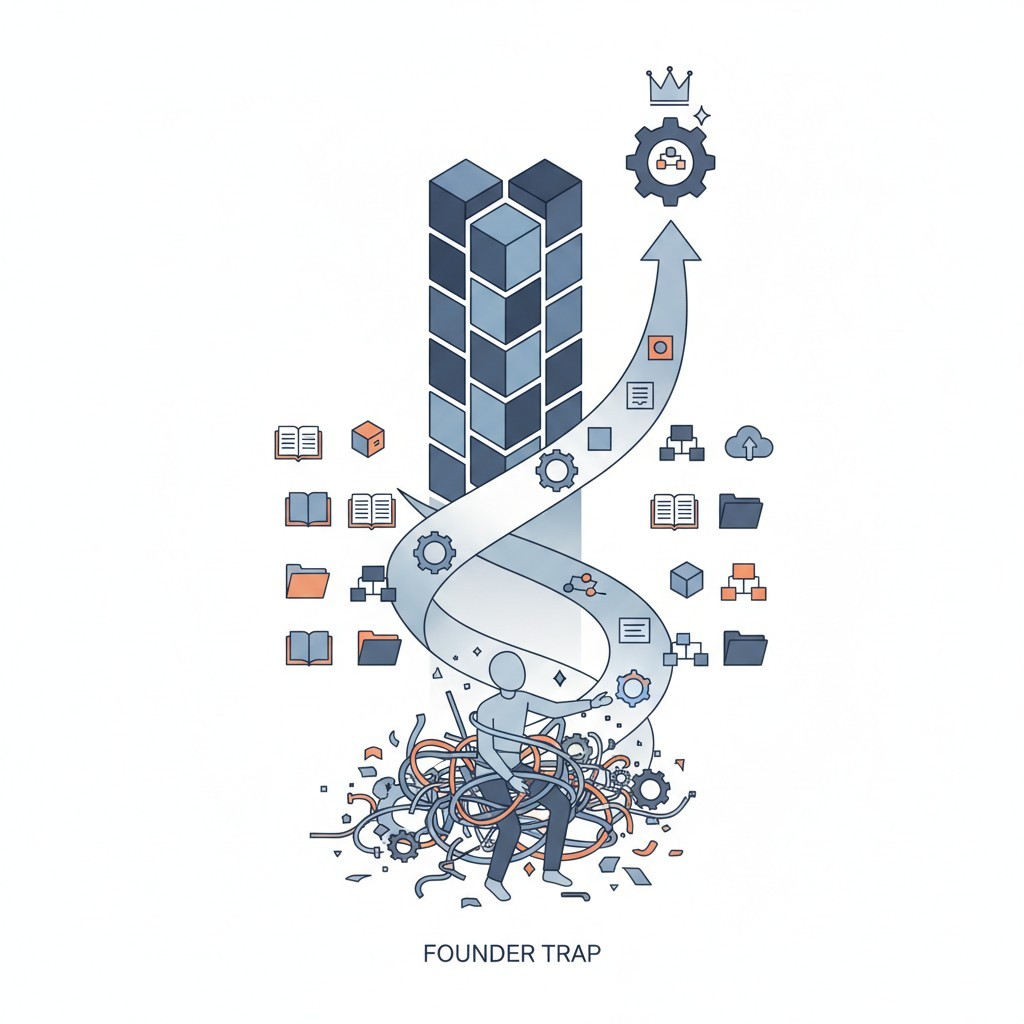
What is an SOP in Business? The Architecture to Escape the Founder Trap

I Built a 6 Million Dollar Company That Couldn't Run Without Me

How to Build a Business That Works (Hint: Systems!)

Employee Onboarding and Training: A Practical Guide for Small and Medium Businesses

How to Write Standard Operating Procedures for Manufacturing: A Field-Proven Blueprint

Essential Quality Control Practices for Operational Excellence

How Standardized Processes Drive Operational Efficiency and Growth