
Unlocking Efficiency: The Best Process Management Tools for Businesses
Listen to this article

Ryan Pease
FOLLOW

Most small business owners reach a breaking point somewhere between hiring their tenth employee and realizing they can no longer personally oversee every moving part. Orders get missed. Clients receive inconsistent service. New hires take forever to get up to speed. And the founder? Still answering the same questions they answered three years ago.
This is the moment when process management tools enter the conversation. But here is the problem: most of the advice available online is written for enterprise IT teams managing complex workflows across hundreds of employees. It is not written for a 25-person marketing agency, a regional HVAC contractor, or a growing bookkeeping firm trying to stop depending on one or two indispensable people.
This guide is different. It is written specifically for founder-led small and mid-sized businesses (SMBs) in the $1 million to $10 million revenue range, with teams of roughly 10 to 50 people, who want practical guidance on selecting and using process management solutions that actually fit their reality. Along the way, it will also explain something most tool-focused guides skip entirely: why documenting your processes before buying any software is the move that determines whether those tools succeed or collect digital dust.
What Are Process Management Tools?
Process management tools are software applications (or structured systems) that help a business define, document, execute, monitor, and improve the way work gets done. In plain language: they help a team consistently repeat the actions that produce good results, without relying on any single person to remember every step.
The formal term for this discipline is Business Process Management, often shortened to BPM. But the jargon can be misleading. BPM sounds like something reserved for large corporations with dedicated operations departments. In reality, the underlying goal is simple: make sure work happens the same reliable way every time, regardless of who is doing it.
Process Management Tools vs. Project Management Software
This distinction trips up a lot of SMB owners. Project management software (think Asana, Monday.com, or Trello) is designed to manage one-time or time-limited initiatives. A product launch, a website redesign, a client onboarding campaign. These tools track tasks, deadlines, and team assignments for things that have a start and an end.
Process management tools, by contrast, are designed for recurring, repeatable work. The monthly invoicing cycle. The new employee onboarding sequence. The client intake checklist. These are not projects; they are processes. They happen again and again, and the goal is to make them consistent and efficient every single time.
Many SMBs use project management tools to manage what are actually processes, which is a bit like using a hammer to drive a screw. It works, sort of, but not as well as the right tool would.
Why SMBs Need Process Management Differently Than Enterprises
Enterprise organizations typically have dedicated process engineers, compliance teams, and IT departments. They implement BPM platforms with six-figure price tags and months-long rollouts.
For an SMB with 20 employees, that approach is overkill and often counterproductive. What a growing small business needs is not a sophisticated automation engine. It needs clarity: written, accessible documentation of how things get done, combined with lightweight tools that help the team follow those steps reliably. The sophistication can come later. The clarity must come first.
The 5 Core Steps of Process Management (And Where Tools Fit In)
Process management follows a recognizable lifecycle regardless of the business size or industry. Understanding these five steps helps SMB owners know which type of tool to reach for at each stage.
Step 1: Map (Identify the Process)
Before anything can be improved, it has to be visible. This step involves identifying which processes exist in the business, who owns them, and where the handoffs happen. Common tools at this stage include process mapping software (like Lucidchart or Miro) and simple flowcharting tools. The most common SMB failure at this stage is skipping it entirely, assuming everyone already knows how things work. They do not, at least not the same way.
Step 2: Document (Capture the Process)
Once a process is mapped, it needs to be written down in enough detail that someone unfamiliar with it could follow it correctly. This is where SOP software and documentation tools come in. The failure point here is documentation that lives in one person's head, in a disorganized shared drive, or in a format so complicated that no one reads it. Good documentation is clear, accessible, and maintained.
Step 3: Analyze (Find the Problems)
With processes documented, a business can start asking: where do things break down? Where does work slow down, get duplicated, or produce inconsistent results? Some BPM platforms include analytics dashboards for this. At the SMB level, even a simple review conversation with the team can surface the most important issues.
Step 4: Improve (Redesign the Process)
Based on analysis, processes get updated, simplified, or restructured. This might mean eliminating unnecessary steps, clarifying ownership, or introducing automation for repetitive tasks. Workflow automation platforms are most useful here, but only after the process itself is well understood. Automating a broken process just makes the problems happen faster.
Step 5: Monitor (Track Ongoing Performance)
After improvements are made, the business needs a way to confirm they are working. This involves tracking completion rates, error rates, cycle times, and other relevant metrics. More advanced BPM platforms offer real-time dashboards. For smaller teams, a simple KPI tracking spreadsheet or a weekly review ritual can serve the same purpose.
Types of Process Management Tools
Not all process management solutions do the same thing. Understanding the categories helps SMB owners avoid buying a platform that solves the wrong problem.
SOP and Documentation Tools
These tools help teams write, store, and access standard operating procedures. Examples include Notion, Trainual, Tettra, and Process Street. They are the foundation of any process management strategy because they capture institutional knowledge in a form the whole team can use. For most SMBs, this is where the journey should start.
Workflow Automation Platforms
These tools automate the movement of work between people or systems based on defined rules. Examples include Zapier, Make (formerly Integromat), and Monday.com's automation features. They are powerful for eliminating manual handoffs, sending notifications, and triggering actions across connected apps. The key caveat: automation tools amplify whatever process they are built on. If the underlying process is unclear or inconsistent, automation will not fix it.
Process Mapping and Visualization Tools
These tools help teams visually represent how a process flows from start to finish. Examples include Lucidchart, Miro, and Microsoft Visio. They are particularly useful in the mapping and analysis phases, helping teams see bottlenecks and handoff gaps that are hard to spot in written descriptions alone.
Full BPM Platforms
These are comprehensive platforms that combine documentation, workflow automation, process modeling, and analytics in a single system. Examples include Nintex, Kissflow, and Pipefy. They are more powerful and more expensive than point solutions, and they require meaningful setup investment. They are typically a better fit for businesses that have already standardized their processes and are ready to scale them further.
Lightweight Hybrid Tools
Many SMBs find success with tools that blend documentation and workflow management without the complexity of a full BPM suite. ClickUp, Notion, and Confluence can serve as both knowledge bases and lightweight workflow trackers, making them practical starting points for teams of 10 to 30 people.
Why You Should Document Your Processes Before Buying Any Tool
Here is the advice that most process management software guides never give: do not buy a tool until you have documented your processes first.
This is not a knock on software. It is an acknowledgment of how SMBs actually operate. In a founder-led business with 15 to 40 employees, most of the knowledge about how things get done lives in people's heads. The senior account manager knows the client intake flow. The operations lead knows the fulfillment sequence. The founder knows everything else. None of it is written down in a way the whole team can access.
When a business in this situation buys a workflow automation tool or a BPM platform without first documenting what it actually does, one of two things happens. Either the tool gets configured based on one person's version of the process (which may not reflect reality), or the tool sits unused because no one can agree on what it should automate.
The right sequence for an SMB is:
Extract the knowledge from the people who hold it
Document it in clear, usable SOPs
Test and refine the documented process with the team
Then, and only then, select tools to support and scale what is working
This sequence feels slower, but it produces results that actually stick. Businesses that skip documentation and go straight to software often end up with expensive subscriptions that nobody uses and processes that are just as chaotic as before, only now they have a dashboard showing the chaos in real time.
Think of process documentation as the blueprint. Process management tools are the construction equipment. You would not hire a crew with bulldozers before the architect had drawn the plans.
How Process Management Tools Remove Key-Person Dependency in Small Businesses
Key-person dependency is one of the most common and most dangerous operational risks facing founder-led SMBs. It is the condition where critical knowledge, decision-making authority, or execution capability is concentrated in one or two individuals. When those people are unavailable, on vacation, sick, or gone, the business grinds to a halt or makes costly mistakes.
This is not a people problem. It is a systems problem. The knowledge exists in the business; it just has not been captured in a form that others can use.
Process management tools address this directly by:
Externalizing institutional knowledge: When a senior employee's approach to client communication or a founder's method for evaluating new opportunities is documented in an SOP, it stops living exclusively in that person's head and becomes a business asset.
Enabling consistent execution across the team: With clear documented processes, any qualified team member can execute a task to the same standard, not just the person who invented the approach.
Accelerating onboarding: New hires can get up to speed in days or weeks rather than months, because the knowledge they need is written down and accessible rather than locked behind informal mentorship.
Creating business continuity: When a key employee leaves, the business retains the process knowledge they held. The departure is still disruptive, but it is not catastrophic.
Freeing the founder: When the team can execute reliably without constant input from the owner, the founder can move from daily operations to strategic leadership. This is often the most transformative benefit for growing SMBs.
For businesses in the $1.5 million to $8 million revenue range with 10 to 50 employees, reducing key-person dependency is often the single highest-leverage operational improvement available. Process management tools are the mechanism that makes it happen.
The Hidden Cost of Running Your Business Without Process Management Tools
Most articles about process management tools focus on what you gain by adopting them. Fewer talk honestly about what it costs to operate without them. For SMBs, those costs are very real, even if they are rarely tracked on a balance sheet.
The Cost of Rework and Errors
When processes are not documented, different team members execute the same task differently. This produces inconsistent results, which leads to client complaints, rework, and refunds. A conservative estimate for a 20-person service business: if even two or three employees are regularly redoing work due to unclear processes, the business may be losing 5 to 10 percent of productive capacity to rework alone. On $2 million in revenue, that is $100,000 to $200,000 in wasted labor.
The Cost of Slow Onboarding
Without documented processes, new hires learn by shadowing, asking questions, and making mistakes. A role that could be productive in four weeks often takes three to six months to reach competence. In a service business where an employee's time is billable or directly tied to revenue, that gap is expensive. Multiply it by every hire made in a growth year and the number becomes significant quickly.
The Cost of Founder Time
In businesses without strong process documentation, founders and senior managers spend a disproportionate amount of time answering the same questions, fixing the same problems, and making the same decisions repeatedly. If a founder is worth $200 per hour in strategic value and spends 10 hours per week on operational firefighting that documented processes would eliminate, that is $100,000 per year in misallocated leadership capacity.
The Cost of Scaling Without Systems
Growth without process infrastructure does not just slow a business down; it can actively damage it. New clients receive inconsistent service. New employees reinforce old bad habits. The founder becomes more bottlenecked, not less. Many businesses plateau or decline at precisely the stage when they should be accelerating, because the systems needed to support growth were never built.
The Cost of Key-Person Departure
When a key employee who holds critical process knowledge leaves, the business loses not just their labor but the institutional knowledge they carried. Recruiting, hiring, and training a replacement takes months. The disruption to clients and team morale adds costs that are hard to quantify but very easy to feel.
None of these costs show up as a line item labeled "cost of not having process management tools." But they accumulate quietly and consistently, and for most growing SMBs, they represent a larger drag on profitability than almost any other operational inefficiency.
How to Choose the Right Process Management Tool for a Small or Mid-Sized Business
With dozens of process management solutions available at various price points, SMB owners need a practical framework for evaluation rather than a feature checklist built for enterprise buyers.
Key Buying Criteria for 10 to 50 Person Teams
Ease of adoption: The best tool is the one your team will actually use. If it requires extensive training or a steep learning curve, adoption will be low regardless of how powerful it is. Prioritize intuitive interfaces and minimal setup friction.
Documentation capability: Can the tool store and organize written procedures in a format that is easy to search, update, and access? This is non-negotiable for SMBs building their first process library.
Integration with existing tools: The tool should connect with the software the team already uses. A process management platform that creates a separate silo from the rest of the tech stack will be ignored.
Scalability without complexity: The tool should be able to grow with the business without requiring a major platform switch at 50 employees. Look for flexible pricing tiers and feature sets that expand gradually.
Ownership and accessibility: Processes should be owned by the business, not locked inside a platform that is difficult to export from. Check data portability before committing.
Cost relative to team size: Per-user pricing models can become expensive quickly for growing teams. Understand the total cost at 20, 30, and 50 users before signing up.
Red Flags: Over-Engineered Enterprise Platforms
Some BPM platforms are genuinely not designed for SMBs, regardless of what their marketing says. Watch for these warning signs:
Pricing that requires a sales call and a custom quote
Implementation timelines measured in months rather than days or weeks
Dedicated onboarding teams and professional services requirements
Feature sets built around compliance, audit trails, and regulatory reporting
No self-serve trial or free tier
These are not bad products. They are simply not designed for a 25-person business trying to document its client onboarding process. Choosing them at the wrong stage creates unnecessary cost and complexity.
Questions to Ask Before Purchasing
Can a non-technical team member set this up without IT support?
How long does it typically take to go from sign-up to active use?
Does this tool support the specific type of process we need to manage (documentation, automation, mapping)?
What happens to our data if we cancel?
What is the total monthly cost at 30 users, including any add-ons?
Does it integrate with our CRM, project management tool, and communication platform?
Top Process Management Tools Compared
The following overview covers the tools most relevant to SMBs in the 10 to 50 employee range. This is not an exhaustive enterprise BPM comparison; it is a practical look at what works for growing founder-led businesses.
Trainual
Best for: SMBs building a structured training and process library from scratch.
What it does well: Trainual is purpose-built for small and mid-sized businesses that need to document roles, processes, and policies in a searchable, trackable format. It includes onboarding flows, quizzes, and accountability tracking, making it particularly strong for businesses with frequent hiring.
Pricing: Starts at approximately $299 per month for smaller teams, with higher tiers for larger organizations.
Honest caveat: It is primarily a documentation and training tool, not a workflow automation platform. Businesses that need automation will need to pair it with another tool.
Process Street
Best for: Teams that run repeatable checklists and workflows regularly.
What it does well: Process Street turns documented procedures into interactive checklists that can be assigned, tracked, and automated. It is particularly effective for client onboarding, employee onboarding, and recurring operational workflows.
Pricing: Starts around $100 per month for small teams, scaling with users and features.
Honest caveat: The interface is task-oriented. It is excellent for checklist-style processes but less suited to complex branching workflows or advanced process modeling.
Notion
Best for: Teams that want a flexible, all-in-one workspace for documentation and lightweight process management.
What it does well: Notion is highly customizable and can serve as a knowledge base, SOP library, project tracker, and team wiki. It is free to start and scales affordably.
Pricing: Free for individuals; business plans start around $15 to $20 per user per month.
Honest caveat: The flexibility that makes Notion powerful also makes it easy to create a disorganized mess. It requires intentional structure and someone willing to maintain it. It is not a purpose-built BPM tool and lacks native workflow automation.
ClickUp
Best for: Teams that want to manage projects, tasks, and processes in a single platform.
What it does well: ClickUp combines task management, documentation, and basic automation in one tool. It is versatile enough to serve as both a process library and a project management platform, which appeals to SMBs trying to consolidate their tech stack.
Pricing: Free tier available; paid plans start around $7 to $12 per user per month.
Honest caveat: ClickUp has a significant feature set, which creates a learning curve. Many teams use only a fraction of its capabilities, and the documentation features are less structured than purpose-built SOP tools.
Pipefy
Best for: SMBs ready to automate structured workflows across departments.
What it does well: Pipefy is a no-code workflow automation platform that helps teams build structured, repeatable processes with clear handoffs and automation rules. It is more powerful than checklist tools but more accessible than enterprise BPM suites.
Pricing: Free tier for small teams; paid plans start around $20 to $30 per user per month.
Honest caveat: It works best when the underlying process is already well-defined. Teams without documented processes will struggle to configure it effectively.
Zapier
Best for: Automating repetitive tasks between existing apps without coding.
What it does well: Zapier connects hundreds of apps and automates triggers and actions between them. It is not a BPM platform in the traditional sense, but it is enormously useful for SMBs that want to eliminate manual handoffs between tools they already use.
Pricing: Free tier available; paid plans start around $20 per month, scaling with automation volume.
Honest caveat: Zapier automates tasks, not processes. It is a powerful complement to a documented process system but should not be mistaken for a process management solution on its own.
Kissflow
Best for: Mid-market SMBs that need structured workflow management with a no-code interface.
What it does well: Kissflow offers a visual process builder, workflow automation, and analytics in a single platform. It is more accessible than traditional BPM enterprise tools while offering more structure than documentation-only platforms.
Pricing: Starts around $1,500 per month for small teams, positioning it toward the higher end of the SMB budget range.
Honest caveat: The pricing makes it most appropriate for businesses that have already outgrown lighter tools and have clearly defined processes ready to automate.
Benefits of Process Management Tools for Growing Businesses
For SMBs that implement process management tools on top of well-documented procedures, the operational benefits are substantial and compounding.
Reduced Founder and Key-Person Dependency
When processes are documented and supported by the right tools, the business stops depending on specific individuals to remember how things work. The founder can step back from daily execution. Senior employees can be promoted without leaving a knowledge gap behind them. The team can function effectively even when key people are unavailable.
Faster Onboarding and Consistent Delivery
New hires have access to the exact processes they need to perform their roles correctly from day one. They do not need to shadow someone for weeks or rely on informal knowledge transfer. This compresses the time to productivity and reduces the quality variation that comes from each employee developing their own approach.
Scalability Without Chaos
Growth is manageable when the processes that support it are documented and tooled. Adding five new employees does not mean five new variations of how things get done. It means five new people following the same reliable system. This is the difference between scaling and just getting bigger.
Improved Client Experience
Consistent processes produce consistent results. Clients receive the same quality of service regardless of which team member is handling their account. This consistency builds trust, reduces churn, and supports premium pricing.
Operational Visibility
Process management tools give business owners and managers visibility into how work is actually flowing through the organization. Bottlenecks become visible. Delays can be identified and addressed. Performance can be measured against a defined standard rather than estimated based on gut feel.
Common Mistakes SMBs Make When Implementing Process Management Tools
The benefits of process management tools are real, but so are the pitfalls. Understanding the most common implementation mistakes helps SMBs avoid the ones that cause expensive failures.
Choosing Tools Before Documenting Processes
This is the most common and most costly mistake. Buying software before knowing what it needs to support is like buying a filing cabinet before deciding what you need to file. The tool ends up being configured around incomplete or incorrect assumptions, and adoption suffers as a result.
Over-Automating Before Standardizing
Automation is appealing. It promises efficiency and time savings. But automating a process that has not been standardized just makes the inconsistency faster and harder to catch. The right sequence is: standardize first, then automate what is working reliably.
No Team Adoption Plan
A process management tool that the team does not use is not a process management tool; it is an expensive subscription. Adoption requires communication, training, and leadership modeling. If the founder and senior managers do not use the system, neither will anyone else.
Treating Documentation as a One-Time Project
Processes evolve. New clients, new services, new team structures, and new tools all change how work gets done. Businesses that document their processes once and never update them end up with SOPs that describe how things used to work rather than how they actually work today. Documentation needs a maintenance rhythm.
Buying Too Much Tool Too Early
A 15-person business does not need a full enterprise BPM suite. Buying more platform than the business can absorb creates overwhelm, low adoption, and wasted spend. Start with the simplest tool that solves the current problem, and upgrade when the business genuinely outgrows it.
Process Management Tools vs. SOP Software: What's the Difference?
This question comes up frequently, and it is worth answering clearly because the distinction shapes the buying decision significantly.
SOP software is a subcategory of process management tools. It is specifically focused on creating, storing, and distributing standard operating procedures. Tools like Trainual and Process Street fall into this category. They are excellent at capturing how things should be done and making that knowledge accessible to the team.
Broader process management solutions, including workflow automation platforms and full BPM suites, go further. They not only document processes but also execute, automate, monitor, and analyze them. They are more powerful, but also more complex and more expensive.
When You Need SOPs First, Tools Second
For most SMBs in the early stages of building operational infrastructure, SOP software is the right starting point. It captures institutional knowledge, reduces key-person dependency, and creates the foundation that more advanced tools can build on later.
Businesses that jump straight to workflow automation or full BPM platforms without first establishing clear SOPs often find that the tools reveal the absence of process clarity rather than solving it.
The Right Sequence for SMB Implementation
Document core processes as SOPs
Store them in a tool the team can access and follow
Identify which processes are stable enough to automate
Add automation tools for those specific workflows
Monitor and refine using analytics as the business scales
This sequence is slower than buying a comprehensive platform on day one, but it produces a process infrastructure that the team actually uses and that reflects how the business genuinely operates.
Are You Ready for a Process Management Tool? A Quick SMB Readiness Checklist
Before investing in any process management software, it is worth asking whether the business is actually ready to get value from it. This checklist helps SMB owners assess their readiness honestly.
Signs You Are Ready
The business has at least 8 to 10 employees and is experiencing coordination challenges
There are recurring processes that happen regularly (weekly, monthly, per client) and need to be consistent
At least one person has been designated as responsible for process documentation and maintenance
Leadership is committed to using and modeling the system, not just mandating it for the team
The business has identified at least three to five core processes that need to be documented
There is a budget for both the tool and the time required to set it up properly
The team has been informed about the initiative and understands why it matters
Signs You Are Not Quite Ready Yet
No one in the business has time to document processes or maintain a system
The business is still in early startup mode with processes changing weekly
Leadership is looking for a tool to fix a people or culture problem rather than a process problem
There is no clear owner for the process management initiative
The team has not been included in the conversation about what is changing and why
If most of the "ready" signs apply, moving forward with tool selection makes sense. If several "not ready" signs apply, the better investment is in documentation and process clarity first, then tools once the foundation is in place.
Which Process Management Tool Is Right for Your Stage of Growth?
Most tool comparisons segment by feature. This one segments by business maturity and headcount, which is far more useful for SMB decision-making.
Stage 1: Early Operations (8 to 15 Employees)
At this stage, the primary need is documentation. Processes are still largely informal, and the goal is to capture institutional knowledge before it becomes a bottleneck. The right tools are lightweight, easy to set up, and focused on writing and organizing SOPs.
Recommended tools: Notion (for flexible documentation), Trainual (for structured onboarding and training), or even a well-organized shared drive with a consistent template system.
What to avoid: Full BPM platforms, complex automation tools, or anything requiring significant IT configuration.
Stage 2: Active Growth (15 to 30 Employees)
At this stage, the business has documented its core processes and is experiencing growing pains around execution consistency and handoffs. The need shifts toward tools that help the team follow documented processes reliably and track completion.
Recommended tools: Process Street (for checklist-based workflow execution), ClickUp (for combining process documentation with task management), or Pipefy (for structured workflow automation).
What to avoid: Enterprise platforms with complex configuration requirements or per-user pricing that becomes prohibitive at scale.
Stage 3: Scaling Operations (30 to 50+ Employees)
At this stage, the business has mature processes and needs tools that can automate, monitor, and continuously improve them across a larger team. Integration across the tech stack becomes more important, and analytics start to matter for identifying inefficiencies.
Recommended tools: Kissflow or Nintex for workflow automation at scale, Zapier or Make for cross-platform automation, and a dedicated analytics layer if the BPM platform does not include one.
What to avoid: Continuing to rely on documentation-only tools that cannot support the complexity of a 50-person operation, or resisting the move to more structured automation because "it worked before."
ERP vs. BPM: What Is the Difference?
This is one of the most common questions SMB owners ask when exploring process management solutions, and the confusion is understandable. Both ERP and BPM systems deal with business operations, but they address fundamentally different problems.
An ERP (Enterprise Resource Planning) system is a comprehensive software platform that manages core business functions: accounting, inventory, purchasing, HR, and sometimes CRM. It is a system of record for business data. Examples include QuickBooks Enterprise, NetSuite, and SAP. ERPs are transactional; they manage and store business data across functions.
BPM tools (Business Process Management tools) are focused on how work flows through the organization. They manage the sequence of steps, the handoffs between people, and the rules that govern execution. They are about process, not data storage.
For most SMBs, the practical distinction is this: an ERP tracks what happened (invoices paid, inventory moved, hours logged). A BPM tool governs how it should happen (the steps followed, the approvals obtained, the handoffs completed). The two systems can complement each other, but they are not substitutes.
Most SMBs in the $1 million to $10 million range do not need a full ERP. They need clear processes and the right tools to support them. Investing in an ERP before the underlying processes are documented and working reliably is another version of buying too much tool too early.
Frequently Asked Questions About Process Management Tools
What are process management tools?
Process management tools are software applications or structured systems that help businesses define, document, execute, monitor, and improve the way recurring work gets done. They range from simple SOP documentation platforms to full-featured Business Process Management suites with workflow automation and analytics.
What are the 5 steps of process management?
The five core steps are: map (identify the process), document (capture it in writing), analyze (find problems and inefficiencies), improve (redesign based on analysis), and monitor (track ongoing performance). Tools support different steps, which is why understanding the lifecycle helps SMBs choose the right software for their current need.
What is the difference between ERP and BPM?
ERP systems are systems of record that manage and store business data across functions like accounting, HR, and inventory. BPM tools manage the flow of work through the organization, governing the steps, handoffs, and rules of execution. They solve different problems and are not direct substitutes for each other.
Which BPM tool is best for small businesses?
The best tool depends on the business's current stage. For early-stage documentation needs, Trainual or Notion are strong choices. For checklist-based workflow execution, Process Street is effective. For businesses ready to automate structured workflows, Pipefy or ClickUp offer good SMB-accessible options. The right tool is the one the team will actually use consistently.
Is BPM still relevant for growing companies?
Absolutely. Business Process Management is arguably more relevant for growing companies than for stable enterprises, because growth exposes every gap in an organization's operational infrastructure. The businesses that scale most smoothly are the ones that build process clarity before they need it, not after the chaos has set in.
Can you manage business processes without expensive software?
Yes, especially in the early stages. A well-organized shared drive with clearly written SOPs, consistent templates, and a regular review rhythm can provide significant operational value with minimal cost. The goal is clarity and consistency, and those can be achieved with simple tools before investing in more sophisticated platforms. That said, as the business grows, purpose-built tools become increasingly worthwhile because they enforce structure and provide visibility that manual systems cannot.
Building a Process-Ready Business: The Bigger Picture
Process management tools are not a silver bullet. They are enablers. The businesses that get the most value from them are the ones that approach them as infrastructure investments rather than quick fixes.
For founder-led SMBs in the $1 million to $10 million revenue range, the journey toward operational excellence typically follows a recognizable path. It starts with recognizing that the current approach, where critical knowledge lives in people's heads and processes vary by individual, is a ceiling on growth rather than just an inconvenience. It moves through the work of extracting and documenting that knowledge into usable SOPs. And it culminates in selecting and implementing tools that help the whole team execute those processes consistently, without needing the founder or a key employee in the room.
The result is a business that can grow without chaos, onboard without drama, deliver without variation, and operate without the founder being the linchpin of every important decision. That is not just operational efficiency. That is a business that is actually ready to scale.
The tools covered in this guide are all capable of supporting that outcome. But the tools themselves are not the starting point. The starting point is clarity: knowing what the business actually does, how it does it, and how it should do it. From there, the right process management solutions fall naturally into place.
Check out other interesting articles here 👇

Why Free Acceptable Use Policy Templates Destroy Enterprise Value
The Hidden Tax: How Operational Chaos is Bleeding Your Business Dry

The Architecture of Operational Freedom: Engineering a Business That Runs Without You

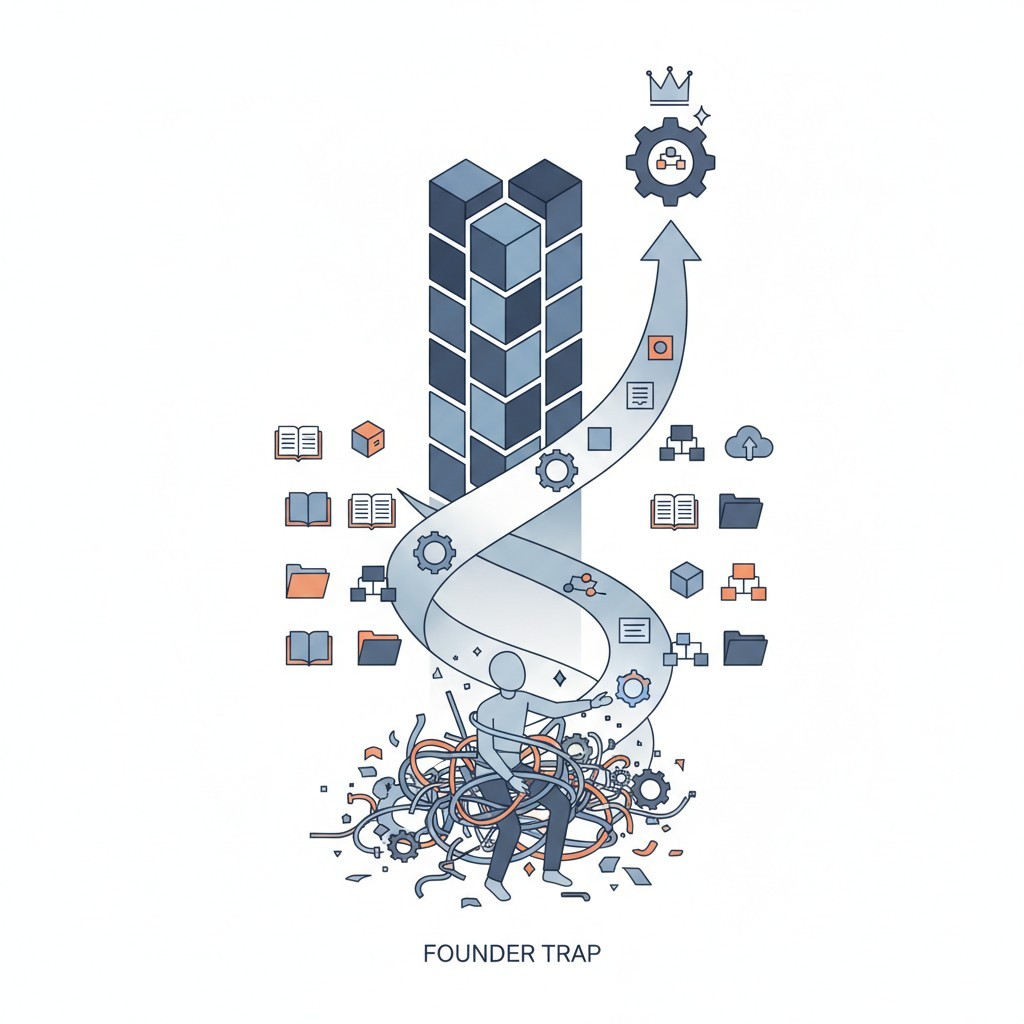
What is an SOP in Business? The Architecture to Escape the Founder Trap

I Built a 6 Million Dollar Company That Couldn't Run Without Me

How to Build a Business That Works (Hint: Systems!)

Employee Onboarding and Training: A Practical Guide for Small and Medium Businesses

How to Write Standard Operating Procedures for Manufacturing: A Field-Proven Blueprint

Essential Quality Control Practices for Operational Excellence

How Standardized Processes Drive Operational Efficiency and Growth