
How to Choose the Right Process Management Software for Your Business
Listen to this article

Ryan Pease
FOLLOW

Most small business owners who invest in process management software do so with the best intentions. They're tired of answering the same questions repeatedly, watching handoffs fall apart, or being the only person who knows how something actually gets done. So they buy a tool, set it up, and wait for the chaos to stop. It rarely does.
The problem usually isn't the software. It's the sequence. Selecting process management tools before the underlying processes are defined is like installing a GPS in a car with no engine. The interface looks great, but nothing moves.
This guide is written specifically for founder-led businesses in the $1 million to $10 million revenue range, with teams of 10 to 50 people, who are ready to stop running everything from memory and start building something their team can actually operate. It covers what to look for in the best software for process management, what to avoid, and how to make a decision that holds up six months after purchase.
What Is Process Management Software (and What It Is Not)?
Process management software, often called BPM software (business process management software), is a category of tools designed to map, execute, monitor, and improve how work flows through an organization. It gives teams a structured way to follow consistent steps, assign accountability, and identify where things break down.
It is not the same as a project management tool. Project management software handles one-off initiatives with deadlines. Process management software handles repeatable workflows that run over and over, like client onboarding, employee offboarding, invoice approval, or service delivery.
It is also not the same as SOP documentation software. SOP platforms store the written instructions for how work should be done. Process management software executes and tracks whether those instructions are being followed in real time.
Many SMB owners conflate these categories and buy the wrong solution. A business that needs written SOPs and a shared knowledge base does not necessarily need a full BPM platform. And a business that has documented processes but no way to assign, track, or monitor them may have outgrown simple documentation tools. Understanding where your business sits on that spectrum is the first step in selecting process management tools that actually fit.
Are You Actually Ready for Process Management Software? A Quick SMB Self-Assessment
Before comparing features or requesting demos, it is worth asking a more fundamental question: is the business operationally ready for software?
Software amplifies what already exists. If the processes are informal, inconsistent, or living entirely in one person's head, software will amplify that inconsistency at scale. The tool becomes a digital version of the same chaos.
Run through this quick self-assessment before proceeding:
Can at least three core processes in the business be written down, step by step, without the founder's input?
Does the team have clear ownership of recurring tasks, or does everything route back to one or two people?
Have process breakdowns been traced to specific steps, or are they attributed to general "communication issues"?
Is there a manager or team lead who can champion software adoption, or will the founder be responsible for rollout?
Is the business currently experiencing growth, or is it still figuring out what the core offer actually is?
If most of these questions reveal gaps, the business likely needs process documentation work before it needs software. That is not a failure; it is an honest diagnosis that saves significant time and money.
Why You Should Document Your Processes Before Choosing Software
This is the most consistently skipped step in the software buying journey, and it is also the most consequential. The businesses that get the most from process management software are the ones that already know what their processes are before they log into a trial account.
Here is why sequencing matters. Process management software is built to execute defined workflows. If the workflow has not been defined, the software cannot help define it. It can provide templates, but templates are generic. The value comes from mapping the business's actual delivery steps, actual handoffs, and actual decision points, and then using software to enforce and monitor those specific steps.
For founder-led service businesses, this documentation work typically reveals three things: steps that only the founder knows how to do, handoffs that happen informally through text messages or memory, and tasks that have no clear owner. These discoveries are incredibly valuable, but they need to happen before the software is chosen, not after.
The practical recommendation is to document at least three to five core repeatable processes in plain language before evaluating any platform. This also makes vendor demos far more productive, because the team can test whether the software handles their actual workflow rather than a hypothetical one.
Signs Your SMB Actually Needs Process Management Software
Assuming the foundational documentation work has been done, or is underway, there are clear operational signals that a business is ready for dedicated process management tools:
The same mistakes happen repeatedly across different team members
Onboarding new employees takes months because knowledge is not written down
Client delivery quality varies depending on who handles the account
The founder is still involved in execution tasks that should run without them
There are frequent handoff failures between departments or roles
The business cannot confidently take on more clients without adding headcount
When a simpler SOP system is enough: if the team is under 10 people, processes are relatively linear, and the main need is a shared reference library, a well-organized SOP documentation platform (or even a structured wiki) may be sufficient. The jump to full BPM software makes the most sense when processes involve multiple people, conditional steps, or recurring accountability tracking.
Must-Have Features for Small and Mid-Sized Businesses
When evaluating the best software for process management at the SMB level, the feature list should be filtered through one primary question: will a non-technical team member be able to use this without ongoing IT support?
Ease of Use and Low Learning Curve
Enterprise BPM platforms are built for process engineers and IT teams. SMB teams do not have those resources. The software should be intuitive enough that a team lead can build or modify a process template without a training course. If the demo requires a consultant to explain the interface, that is a signal to look elsewhere.
Customization Without IT Dependency
The business's processes are specific to its delivery model. The software should allow custom fields, conditional logic, and role-based task assignment without requiring developer involvement. Drag-and-drop process builders are a strong indicator of SMB-appropriate design.
Version Control and Process Visibility
Processes evolve. The software should track changes over time, allow for controlled updates, and make it clear which version of a process is currently active. Process visibility, meaning the ability to see where a task is in its lifecycle at any moment, is essential for managers who need to catch problems before they become client issues.
Integration with Existing Tools
The software should connect with the tools the team already uses: the CRM, the project management platform, the communication tools, and the file storage system. Integrations via native connectors or platforms like Zapier reduce the need for custom development and prevent the new tool from creating an isolated data silo.
Reporting and Accountability Tracking
Basic reporting on task completion rates, process bottlenecks, and overdue steps gives managers actionable data. This does not need to be sophisticated analytics; it needs to answer the question "where did this break down and who owns the fix?"
How to Choose Software That Reduces Founder and Key-Person Dependency
This is the buying criterion that almost never appears in software comparison guides, and it is arguably the most important one for founder-led businesses.
Key-person dependency is the operational risk that exists when critical knowledge, relationships, or execution steps are concentrated in one or two individuals. When those people are unavailable, sick, or leave the business, operations degrade or stop. Process management software, when chosen and implemented correctly, is one of the most effective tools for eliminating that risk.
When evaluating software through this lens, look for the following capabilities:
Role-based task assignment: Tasks should be assigned to roles, not individuals, so that when someone leaves, the process does not break. Any platform that only supports individual user assignment creates a digital version of the same dependency problem.
Embedded instructions and reference materials: The software should allow step-level instructions, checklists, and linked documents so that a new employee can complete a task without asking the founder how it is done.
Escalation and notification rules: When a task is overdue or a decision point is reached, the system should notify the right person automatically rather than relying on someone to remember to follow up.
Process ownership assignment: Each process should have a named owner who is responsible for keeping it current. This is a governance feature, not just a software feature, but the platform should support it structurally.
A business that chooses software with these capabilities, and then builds its SOPs to match, is actively reducing its single-point-of-failure risk with every process it documents and deploys.
The Hidden Costs Most Buyers Overlook
The licensing fee is rarely the largest cost of process management software. The real costs tend to be invisible until after the purchase is made.
Implementation time: Setting up a process management platform takes real internal hours. Someone has to build the process templates, configure the integrations, test the workflows, and train the team. For a business without a dedicated operations manager, that time comes directly out of the founder's schedule or a key employee's productive hours.
Training and adoption friction: The best software is the one the team actually uses. If the platform has a steep learning curve or feels clunky on mobile, adoption will be inconsistent. Inconsistent adoption is worse than no software at all, because it creates a false sense of process without the actual compliance.
Ongoing maintenance: Processes change. New services get added, team structures shift, compliance requirements evolve. Someone in the business needs to own the ongoing maintenance of the process library. If that responsibility is not assigned before go-live, the system will drift out of date within months.
Opportunity cost of poor fit: Choosing the wrong platform and spending three months implementing it before realizing it does not fit the business is an expensive mistake. This is why the evaluation phase deserves more time than most buyers give it.
Process Management Software for Service Businesses: What's Different and What to Prioritize
Most process management software comparisons are written with manufacturing or enterprise IT workflows in mind. Service businesses, including marketing agencies, MSPs, consulting firms, accounting practices, and staffing companies, have a different operational profile that changes what to prioritize.
In a service business, the "product" is the delivery experience itself. Consistency in how work gets scoped, communicated, delivered, and followed up on is what separates a scalable firm from one that relies on heroic individual effort. The process management software needs to reflect that reality.
Key priorities for service businesses include:
Client-facing process triggers: The ability to initiate a workflow based on a client event, such as a signed contract, a new intake form, or a project milestone, is essential for service delivery consistency.
Flexible handoff management: Service work rarely follows a perfectly linear path. The software should handle conditional branching, parallel tasks, and role-based handoffs without becoming overly complex to configure.
Knowledge capture at the task level: In service businesses, the "how" is often as important as the "what." Software that allows rich instructions, embedded videos, and linked reference documents at each step is far more valuable than a simple checklist tool.
Lightweight enough for client-facing staff: Account managers and delivery staff are not process engineers. The interface needs to be fast, mobile-friendly, and intuitive enough that it does not add friction to client work.
10 Questions to Ask Any Vendor Before You Sign (and 5 Red Flags to Walk Away From)
Questions to Ask During the Demo
How do other businesses with 10 to 50 employees typically implement this platform?
What does the onboarding process look like, and how long does it take to get a first process live?
Can we assign tasks to roles rather than specific users?
How does version control work when a process needs to be updated?
What integrations are available natively, and which ones require third-party tools?
What does the mobile experience look like for frontline staff?
How is customer support accessed, and what are the response time commitments?
Can we run a meaningful pilot on one process before committing to full deployment?
What reporting is available to track adoption and identify bottlenecks?
What does the pricing look like at 20, 40, and 60 users, and what triggers a tier change?
Red Flags to Walk Away From
No meaningful free trial or pilot option: Any vendor unwilling to let the team test the software on a real process before signing a contract is not confident in their product's usability.
The demo requires a consultant to navigate: If the vendor needs to do all the clicking during the demo because the interface is too complex to walk through live, that complexity will become the team's problem post-purchase.
Pricing is opaque or changes significantly at scale: Hidden per-feature pricing or aggressive tier jumps can make a seemingly affordable tool expensive as the team grows.
Support is only available via ticket with multi-day response times: For a business in active implementation, slow support is an operational risk, not just an inconvenience.
The vendor cannot provide references from businesses of similar size and type: Enterprise case studies do not translate to SMB realities. If the vendor cannot connect the team with a comparable customer, that is a meaningful gap in evidence.
A Practical Selection Checklist for SMB Owners
Use this scoring framework to compare tools side by side. Rate each criterion from 1 to 5 for each platform being evaluated:
Ease of use for non-technical team members
Ability to assign tasks to roles (not just individuals)
Quality of onboarding and vendor support
Integration with current tech stack (CRM, project tools, communication platforms)
Version control and process update management
Mobile usability for field or client-facing staff
Reporting on task completion, bottlenecks, and overdue steps
Total cost of ownership at current and projected team size
The platform with the highest combined score across these criteria is not automatically the right choice, but this framework surfaces trade-offs that a feature comparison table alone will not reveal.
How to Implement Process Management Software Successfully
Implementation is where most software investments either pay off or quietly fail. A few principles significantly increase the odds of success.
Start with one repeatable process: Resist the temptation to digitize everything at once. Choose one high-frequency, high-stakes process, such as client onboarding or new employee orientation, and build that first. A successful first deployment creates organizational momentum and teaches the team how the platform works before complexity increases.
Assign process ownership before launch: Every process in the system should have a named owner who is responsible for keeping it accurate and current. Without this, processes drift out of date and the system loses credibility with the team.
Measure adoption, not just installation: Installation is not implementation. Track how often processes are being initiated, completed, and flagged for issues. Low adoption is a signal, either the process is wrong, the tool is too cumbersome, or the team has not been adequately trained.
Build in a 90-day review: Schedule a formal review at the 90-day mark to assess what is working, what is not, and what needs to be adjusted. Process management is iterative, and the first version of any workflow is rarely the best version.
When You Don't Need Process Management Software (and What to Use Instead)
This is the section most software vendors will never write, but it is one of the most useful things to read before making a purchase decision.
Process management software is not the right tool for every business at every stage. Here are the scenarios where a simpler approach is the better choice:
The team is under 8 to 10 people and processes are relatively simple: A well-organized SOP library in a shared document platform (such as Notion, Confluence, or Google Sites) may be entirely sufficient. The overhead of a BPM platform is not justified at this scale.
Core processes have not been documented yet: If the business cannot describe its key workflows in writing, software will not help. The investment should go into process documentation first.
The business is still refining its core offer: Early-stage businesses that are still iterating on what they sell and how they deliver it will find that process management software creates rigidity at exactly the wrong time. Wait until the delivery model is stable.
The team will not adopt it: If there is no internal champion for the tool and no leadership commitment to driving adoption, the software will sit unused. Culture and accountability must come before technology.
In these cases, a structured SOP documentation system, a process template library, and clear role descriptions will deliver more value than any software platform. The goal is operational clarity, and software is only one path to that outcome.
Frequently Asked Questions
What is the difference between BPM software and SOP software?
BPM (business process management) software is designed to execute, track, and optimize workflows in real time. It assigns tasks, monitors progress, and generates reporting on process performance. SOP software is primarily a documentation tool: it stores the written instructions for how work should be done. Many businesses need both, but they serve different functions. SOP documentation should come first; BPM software enforces and monitors the processes that documentation defines.
What is the best business process management software for small businesses?
There is no single best answer because fit depends on the business's specific processes, team size, tech stack, and budget. That said, SMBs generally benefit most from platforms that offer low-code process building, role-based task assignment, strong mobile usability, and native integrations with common business tools. The best approach is to define the top three to five processes that need to be managed, then evaluate two or three platforms against those specific workflows during a trial period.
What are the must-have features in process management software?
For SMBs, the non-negotiable features are: ease of use for non-technical staff, role-based task assignment, version control, integration with existing tools, mobile accessibility, and basic reporting on task completion and bottlenecks. Features like advanced analytics, AI-driven process mining, and complex conditional logic are valuable at enterprise scale but often add unnecessary complexity for businesses with 10 to 50 employees.
Can process management software remove founder dependency?
It can significantly reduce it, but only if the software is implemented correctly. The key is choosing a platform that supports role-based assignment (so tasks are not tied to specific individuals), embedded instructions at each step, and escalation rules that route decisions automatically. Software alone does not remove founder dependency; documented processes combined with the right software and clear ownership structures do.
How much should an SMB expect to spend on process management software?
Licensing costs for SMB-appropriate platforms typically range from $10 to $50 per user per month, depending on the feature set and tier. However, the total cost of ownership includes implementation time, internal training hours, and ongoing maintenance. For a team of 20 people, a realistic first-year investment, including all associated costs, often falls between $5,000 and $20,000. The ROI calculation should focus on the cost of errors, rework, and founder time that the software eliminates.
What are the four types of business processes?
Business processes are generally categorized as: operational processes (core delivery activities that create value for clients), management processes (planning, monitoring, and decision-making activities), support processes (HR, finance, IT, and administrative functions), and improvement processes (activities focused on reviewing and optimizing the other three). For most SMBs, the highest-priority processes to manage are operational and support, as these have the most direct impact on delivery quality and team efficiency.
Check out other interesting articles here 👇

Why Free Acceptable Use Policy Templates Destroy Enterprise Value
The Hidden Tax: How Operational Chaos is Bleeding Your Business Dry

The Architecture of Operational Freedom: Engineering a Business That Runs Without You

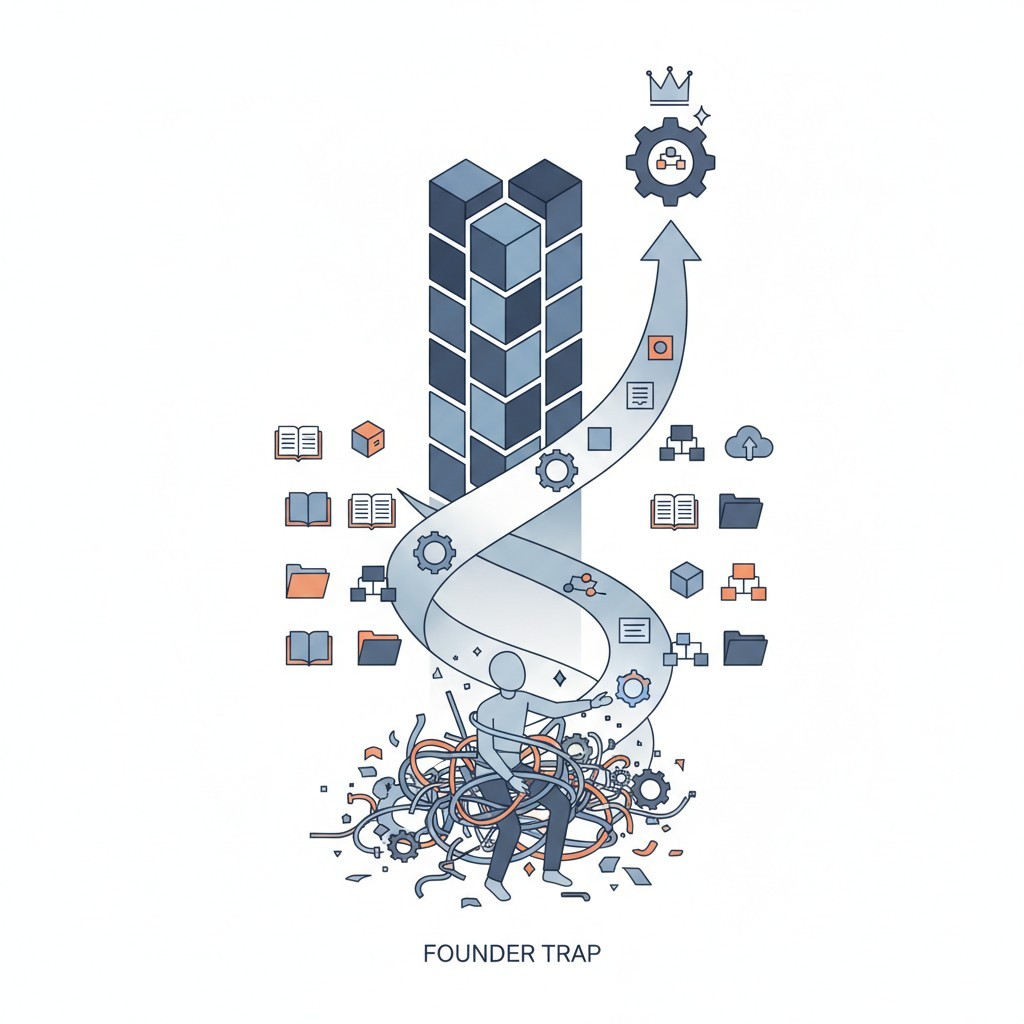
What is an SOP in Business? The Architecture to Escape the Founder Trap

I Built a 6 Million Dollar Company That Couldn't Run Without Me

How to Build a Business That Works (Hint: Systems!)

Employee Onboarding and Training: A Practical Guide for Small and Medium Businesses

How to Write Standard Operating Procedures for Manufacturing: A Field-Proven Blueprint

Essential Quality Control Practices for Operational Excellence

How Standardized Processes Drive Operational Efficiency and Growth