
How to Document Business Processes Effectively: A Step-by-Step Guide
Listen to this article

Ryan Pease
FOLLOW

Most small and mid-sized businesses run on invisible knowledge. The founder knows how to handle a difficult client. The senior account manager knows the exact sequence for onboarding a new customer. The operations lead knows which vendor to call when the usual one falls through. None of it is written down, and everyone is perfectly fine with that arrangement — until someone leaves, the team doubles in size, or the owner tries to take a two-week vacation and the phone won't stop ringing.
Learning how to document business processes is one of the highest-leverage investments a growing business can make. It is not about creating bureaucratic paperwork. It is about capturing the way the business actually works, removing the fragility that comes with knowledge living only in people's heads, and building a system the team can operate without constant intervention from the top.
This guide walks through every stage of the process: what documentation actually is, which processes to tackle first, how to extract knowledge from the people who hold it, how to write steps anyone can follow, and how to keep documents useful long after they are published.
What Is Business Process Documentation (and What It Is Not)
Business process documentation is the practice of capturing the steps, inputs, outputs, roles, and decision points of a repeatable business activity in a format that someone else can follow. A good process document answers: What triggers this process? Who does what? In what order? What decisions need to be made along the way? What does a successful output look like?
It is worth being clear about what process documentation is not, because the confusion trips up a lot of teams.
It is not a policy. A policy states what must or must not happen ("all invoices must be approved before payment"). A process document explains how to make that happen, step by step.
It is not a job description. A job description lists responsibilities. A process document explains the specific sequence of actions required to fulfill one of those responsibilities.
It is not tribal knowledge. "Sarah knows how to do it" is not documentation. Informal knowledge that lives in someone's head disappears when that person is unavailable, promoted, or gone.
A standard operating procedure (SOP) is one common format for process documentation. The terms are often used interchangeably, and for most SMBs, the distinction is less important than simply getting the knowledge written down in a consistent, usable structure.
Why Small and Mid-Sized Businesses Need Process Documentation
The importance of process documentation is felt most acutely in founder-led businesses between 10 and 75 employees. At this stage, the company has grown past the point where the owner can personally oversee every interaction, but it has not yet built the formal systems that larger organizations rely on. The result is a business that scales headcount without scaling capability.
Here is what that looks like in practice:
New hires take six months to reach competency because onboarding is informal and inconsistent.
Clients receive a different experience depending on which employee handles their account.
The founder is pulled into operational decisions that should be handled by the team.
A key employee resignation triggers a minor crisis because their knowledge walks out the door with them.
Documented processes solve all of these problems. They accelerate onboarding by giving new employees a clear reference rather than relying on whoever happens to have time to train them. They create consistent delivery by ensuring every team member follows the same proven sequence. They free the founder from daily execution by making the right way to do things explicit and accessible. And they protect the business from key-person risk by ensuring no single individual holds irreplaceable institutional knowledge.
There is also a direct link between documented processes and scalable revenue. Businesses that operate on repeatable, documented systems can grow without proportionally increasing management overhead. That is the foundation of operational efficiency and the prerequisite for sustainable scale.
Which Business Processes Should You Document First? A Simple Prioritization Method
One of the most common mistakes businesses make is trying to document everything at once. The project stalls within weeks because it feels overwhelming, and the team returns to operating the way they always have. A smarter approach is to prioritize ruthlessly and build momentum with early wins.
Use this simple triage framework to identify where to start. Score each process candidate on three dimensions:
Frequency: How often does this process run? Daily processes affect more outcomes than monthly ones.
Risk: What is the cost of doing this wrong? Processes where errors result in client loss, compliance issues, or financial exposure rank high.
Variability: How inconsistently is this currently performed? High variability means high opportunity for improvement through documentation.
Processes that score high on all three dimensions are your starting point. For most founder-led service businesses, that list typically includes client onboarding, service delivery handoffs, invoicing and collections, new employee onboarding, and recurring client communication.
A useful rule of thumb: if the founder or a senior employee is regularly pulled in to handle or fix something, that is a process that needs to be documented. Their involvement is a symptom of missing documentation.
Common Challenges in Process Documentation (and How to Overcome Them)
Understanding the importance of process documentation is one thing. Actually doing it is another. Here are the obstacles most SMBs encounter and practical ways to work through them.
Getting Experts to Sit Down and Share Knowledge
The people who hold the most valuable process knowledge are usually the busiest people in the business. Asking them to write a document from scratch rarely works. A better approach is covered in detail in the knowledge extraction section below, but the short version is: do not ask them to write. Ask them to talk or demonstrate, and have someone else capture it.
Choosing the Right Level of Detail
Documents that are too vague leave team members guessing. Documents that are too granular become tedious and get ignored. The right level of detail depends on the audience. A new hire with no context needs more detail than an experienced team member who just needs a reference checklist. When in doubt, write for the least experienced person who will realistically need to use the document.
Keeping Documents Current
Documentation that reflects how the business worked two years ago is worse than no documentation at all, because it creates false confidence. This challenge is addressed directly in the maintenance section below, but the core solution is assigning ownership and building review triggers into the system from the start.
Getting the Team to Actually Use the Documents
Adoption fails when documents are created but not embedded into daily work. The fix is making documents the default reference for onboarding, training, and recurring tasks, not an optional resource that exists somewhere on a shared drive.
How to Document a Business Process: A Step-by-Step Framework
This business process documentation guide follows a seven-step sequence that works for founder-led businesses regardless of industry or complexity.
Step 1: Identify and Prioritize Which Processes to Document
Use the triage framework above. Choose one process to start with, not ten. Completing one document well builds more momentum than starting ten and finishing none.
Step 2: Define Scope, Owner, Trigger, and End State
Before capturing any steps, answer four questions: Where does this process start (the trigger)? Where does it end (the end state)? Who is responsible for it (the owner)? What is in scope and what is not? This prevents scope creep and ensures the document is focused and usable.
Step 3: Capture Steps by Shadowing or Interviewing the Expert
Do not ask the subject-matter expert to write the document themselves. Instead, observe them doing the work, ask them to walk through it verbally while you take notes, or have them record their screen while narrating. The goal is to capture what they actually do, not what they think they do or what they believe they should do.
Step 4: Write Clear, Action-Verb-Led Instructions
Each step should begin with an action verb and describe one discrete action. Compare these two versions of the same step:
Vague: "Handle the new client intake form."
Clear: "Open the client intake form in the CRM, verify that all required fields are complete, and assign the record to the account manager listed in the project brief."
The second version leaves no room for interpretation. Anyone can follow it on their first day.
Step 5: Add Visuals, Decision Trees, or Checklists Where Steps Branch
When a process has a decision point ("if the client approves, do X; if they request changes, do Y"), a simple flowchart communicates the logic far more clearly than a paragraph of text. Screenshots are invaluable for software-based processes. Checklists work well for repeatable verification tasks at the end of a process.
Step 6: Test the Document with Someone Unfamiliar with the Process
This step is covered in its own section below because it is the step most teams skip and the one that makes the biggest difference in document quality.
Step 7: Publish, Assign Ownership, and Set a Review Cadence
A document that sits in a folder no one opens is not documentation. Publish it in the team's primary reference system, assign a named owner, and set a calendar reminder for the first review. The document is now live and needs to be treated as a living asset, not a finished artifact.
How to Extract Process Knowledge from the People Who Actually Do the Work
This is one of the most under-discussed challenges in process documentation. Competitors typically say "interview your subject-matter experts" and leave it at that. But in a founder-led SMB, the subject-matter expert is often the founder themselves, or a senior employee who is already stretched thin and does not have time to sit down for a two-hour documentation session.
Here are knowledge extraction techniques that work in the real world:
The Narrated Walkthrough
Ask the expert to perform the task while narrating what they are doing and why. Record the audio or video. A documentarian (a team member, an operations consultant, or even a trained AI transcription tool) then turns the narration into a structured draft. The expert reviews and corrects the draft rather than writing from scratch. This approach typically takes one-quarter of the time of asking someone to write a document themselves.
The Shadow Session
The documentarian sits alongside the expert and observes the process being performed in real time. They ask clarifying questions ("What would you do if X happened?") and capture the steps as they unfold. This method is particularly effective for physical or field-based processes where screen recording is not practical.
The Reverse Interview
Rather than asking "how do you do this?", the documentarian presents a draft of the process (even a rough or partially incorrect one) and asks the expert to correct it. People find it much easier to react to something that already exists than to generate information from scratch. A rough draft, even a wrong one, dramatically reduces the cognitive load on the expert.
Micro-Sessions
Instead of scheduling a single two-hour documentation session (which rarely happens), break the knowledge capture into ten-minute conversations tied to specific tasks. Capture one process segment per session. This works well with founders and senior employees who resist large time commitments.
Test Before You Publish: The One Step Most Teams Skip
Once a process document is drafted, the natural instinct is to review it, make a few edits, and publish it. But there is a critical validation step that almost every team skips: having someone who has never performed the process try to follow the document from start to finish.
This "fresh eyes" test reveals problems that the author and the expert are completely blind to. Both parties are too familiar with the process to notice missing context, ambiguous instructions, or assumed knowledge that a new user would not have. The person testing the document should follow it literally, without asking for help, and note every point where they feel uncertain, confused, or stuck.
Common findings from a fresh eyes test include:
Steps that assume access to a system or tool that is not mentioned in the document
Decision points that are not addressed ("what do I do if the client does not respond?")
Jargon or internal terminology that is not defined
Steps that are listed in the wrong order
Missing information about where to find templates, forms, or reference materials
The tester does not need to be a new hire. Any team member who does not regularly perform that specific process will provide useful feedback. One round of fresh eyes testing will improve a document more than three rounds of internal editing by people who already know the process.
How to Structure and Name Your Process Documents
Individual documents are useful. A well-organized process library is transformative. As the number of documented processes grows, consistent structure and naming conventions become essential for the team to find and use what they need.
Recommended Document Structure
Every process document should include the following elements:
Title: Clear, descriptive, and consistent with naming conventions
Version and date: So the team knows they are looking at the current version
Owner: The named individual responsible for maintaining the document
Trigger: What event or condition starts this process
End state: What a successfully completed process looks like
Steps: Numbered, action-verb-led, with decision branches noted
Related documents: Links to templates, forms, or connected processes
Naming Conventions
A consistent naming convention makes the library searchable and prevents duplicate or conflicting documents. A simple format that works well for SMBs is: [Department or Function] - [Process Name] - [Version]. For example: "Client Services - New Client Onboarding - v2" or "Finance - Invoice Approval - v1." Avoid vague names like "Onboarding Doc" or "Process Notes."
Where to Store Documents
The best storage system is the one the team will actually use. For most SMBs, that means a platform that is already part of daily workflow. Documents buried in a folder structure that requires five clicks to reach will not be used. Embedding links to relevant process documents in project management tools, onboarding checklists, and team communication channels dramatically increases adoption.
Adding Visuals and Checklists to Process Documentation
Text-only documents work for simple, linear processes. For anything more complex, visuals and checklists significantly improve usability.
Use a flowchart when a process has multiple decision points or branches. A simple flowchart created in a free tool communicates branching logic far more clearly than an if-then paragraph, especially for team members who are visual learners.
Use screenshots for any process that involves navigating software. Annotated screenshots (with arrows or numbered callouts) eliminate ambiguity about exactly which button to click or which field to complete. Screen recording tools are even more effective for complex software workflows, allowing users to watch the process performed in real time.
Use embedded checklists at the end of a process or at critical quality-check points. A checklist turns a process document into a verification tool, not just a reference, and gives team members a concrete way to confirm that every step has been completed before moving on.
Tools and Templates for Documenting Business Processes
The right tool depends on the team's size, technical comfort, and how the business already operates. Here is a practical overview for SMBs:
Shared Documents (Google Docs, Microsoft Word Online)
The lowest barrier to entry. Most teams already use these tools, which means no new software to learn. The limitations are searchability, version control, and the tendency for documents to scatter across folders over time. Best for businesses just starting their documentation journey.
Internal Wikis (Notion, Confluence, Tettra)
A step up in organization. Wikis allow documents to be linked, tagged, and searched across a structured knowledge base. Notion is popular with SMBs for its flexibility. Confluence integrates well with Atlassian project management tools. These platforms support version history and access permissions, which becomes important as the document library grows.
Dedicated SOP Platforms
Platforms built specifically for process documentation offer features like structured templates, role-based access, review reminders, and analytics on document usage. These are worth considering once the business has more than 20 to 30 active process documents and wants tighter governance over updates and ownership.
Regardless of the tool chosen, prioritize three features: searchability (can the team find what they need quickly?), version control (can you see what changed and when?), and access permissions (can you control who can edit versus view?).
How Process Documentation Removes Founder Dependency and Protects Your Business
For founder-led businesses, the most compelling reason to document processes is not efficiency or onboarding speed. It is the ability to step back from daily operations without the business grinding to a halt.
When critical knowledge lives only in the founder's head, the founder becomes the bottleneck. Every exception, every client escalation, every hiring decision funnels back to one person. The business is not really a business at that point. It is a personal service practice with employees attached.
Process documentation breaks that pattern. When the steps for handling a client complaint are written down and tested, the team can handle it without calling the founder. When the onboarding sequence for a new employee is documented and owned by the operations lead, the founder does not need to be involved in every hire. When the invoicing process is captured and followed consistently, the finance team does not need to ask the same questions every month.
This is also what protects the business from key-person risk beyond the founder. When a senior employee holds irreplaceable institutional knowledge, their departure creates a crisis. Documented processes convert that individual knowledge into organizational knowledge. The business owns the process, not the person.
For business owners considering an eventual exit, acquisition, or transition to professional management, a well-documented process library is not just operationally valuable. It is a tangible asset that increases the value and transferability of the business.
How to Keep Your Process Documents from Going Stale: Ownership and Review Cadence
The most common failure mode in process documentation is not failing to create documents. It is creating documents and then letting them go stale. A process document that reflects how the business operated eighteen months ago is actively harmful, because it gives team members false confidence that they are following the current standard.
The solution is a concrete ownership and review-trigger system built into the documentation process from day one.
Assign a Named Owner, Not Just an Author
Every document needs a named individual who is responsible for keeping it current. The owner is not necessarily the person who wrote the document or the person who performs the process. The owner is the person accountable for ensuring the document reflects current reality. In most SMBs, this is the manager or team lead for that functional area.
Set Review Triggers, Not Just Review Dates
Scheduled quarterly reviews are a good baseline, but the most important reviews are triggered by specific events:
A process error or client complaint that reveals a gap in the document
A software or tool change that affects the steps
A role change or departure that affects who performs the process
A significant change in volume or scale that changes how the process needs to run
Build these triggers into the team's incident and change management habits. When a process breaks down, the first question should be: does the document need to be updated?
Embed Documents in Daily Workflow
Documents that are referenced regularly stay current because team members notice when they are out of date. Documents that sit in a folder and are only consulted during onboarding drift out of date invisibly. Link process documents to the tasks and projects they support, include them in recurring meeting agendas for relevant teams, and make them the default reference for training conversations.
What a Finished Process Document Looks Like: A Real SMB Example
Most documentation guides describe what a process document should contain without ever showing one. Here is a complete example for a common SMB scenario: new client onboarding for a marketing agency.
Title: Client Services - New Client Onboarding - v1
Owner: Account Services Manager
Version Date: Current quarter
Trigger: Signed contract and deposit received, confirmed by Finance
End State: Client has attended kickoff call, project has been set up in the project management system, and the assigned account manager has sent the welcome email with next steps.
Steps:
Confirm receipt of signed contract and deposit with Finance. Do not proceed until both are confirmed.
Create a new client record in the CRM using the "New Client" template. Complete all required fields including company name, primary contact, contract value, and service type.
Create a new project in the project management system using the "Client Onboarding" template. Assign the project to the designated account manager.
Send the client the onboarding questionnaire using the template in the shared documents folder (link). Set a follow-up reminder for three business days if no response is received.
Once the questionnaire is returned, schedule the kickoff call using the calendar booking link. Send the client the kickoff call agenda at least 24 hours in advance.
Conduct the kickoff call. Complete the kickoff call notes template during or immediately after the call and upload to the client's project folder.
Send the welcome email using the template in the shared documents folder (link). Include the client's assigned account manager, primary contact details, and expected communication cadence.
Mark the "Onboarding Complete" milestone in the project management system and notify the account manager that the client is active.
Decision Points:
If the client does not return the onboarding questionnaire within five business days, escalate to the Account Services Manager before proceeding.
If the client requests a service not included in the signed contract, do not commit. Notify the Account Services Manager immediately.
Related Documents: New Client Questionnaire Template, Kickoff Call Agenda Template, Welcome Email Template, Contract Review Checklist
Notice what makes this document usable: a clear trigger, a defined end state, numbered steps that start with action verbs, explicit decision points, and links to the supporting materials the team member needs to complete each step. There is no ambiguity about what to do or when to do it.
Frequently Asked Questions About Documenting Business Processes
What are the 7 steps of the business process?
A business process typically follows seven stages: define the goal, identify the inputs required, map the sequence of tasks, assign roles and responsibilities, execute the process, monitor outcomes against the expected end state, and review and improve based on results. Process documentation captures the first five stages in a format the team can follow consistently.
What are the 5 W's of documentation?
The five W's of process documentation are: Who performs the process? What steps are involved? When is the process triggered? Where does it take place (which system, location, or platform)? Why does this process exist (what outcome does it produce)? Answering all five questions ensures a document is complete and contextually useful.
What is an example of a process document?
A client onboarding process document is one of the most common examples in service businesses. It captures the sequence of steps from contract signing through the first active project milestone, including who does each step, what tools are used, and what decisions need to be made along the way. The annotated example above illustrates what a complete version looks like.
What are examples of business processes?
Common business processes worth documenting in an SMB include: new client onboarding, employee onboarding, invoice creation and collections, service delivery or fulfillment, client communication and reporting, hiring and interviewing, vendor management, and customer complaint resolution. Any activity that is performed repeatedly and has a measurable outcome is a candidate for documentation.
What are the 5 core business processes?
The five core business processes most organizations rely on are: lead generation and sales, client or customer onboarding, service or product delivery, financial management (invoicing, collections, reporting), and human resources (hiring, onboarding, performance management). For most SMBs, documenting these five areas first will address the majority of operational inconsistency.
What are the 5 basic business processes?
The five basic business processes that every business performs in some form are: acquiring customers, delivering value to customers, managing finances, managing people, and managing operations. Documenting the repeatable activities within each of these areas creates the operational foundation for consistent growth.
Process Documentation vs. Process Improvement: Getting the Order Right
One important clarification before closing: documentation comes before improvement. A common mistake is trying to optimize a process at the same time as documenting it. The result is a document that describes an aspirational process rather than the actual one, which means the team cannot follow it and the business loses the baseline it needs to measure improvement against.
The first goal is to capture the current state accurately, exactly as the process runs today, including the workarounds and informal steps that have accumulated over time. Once that baseline exists, it becomes possible to identify inefficiencies, redundancies, and gaps in a structured way. Continuous improvement requires a documented starting point. Without one, every improvement effort is working from a different set of assumptions.
Document first. Improve second. The sequence matters.
For founder-led businesses ready to move from informal operations to a system their team can run, the starting point is always the same: pick one high-frequency, high-risk process, capture it accurately, test it, publish it, and assign an owner. One solid document creates more momentum than a year of planning. The businesses that build lasting operational systems do it one process at a time.
Check out other interesting articles here 👇

Why Free Acceptable Use Policy Templates Destroy Enterprise Value
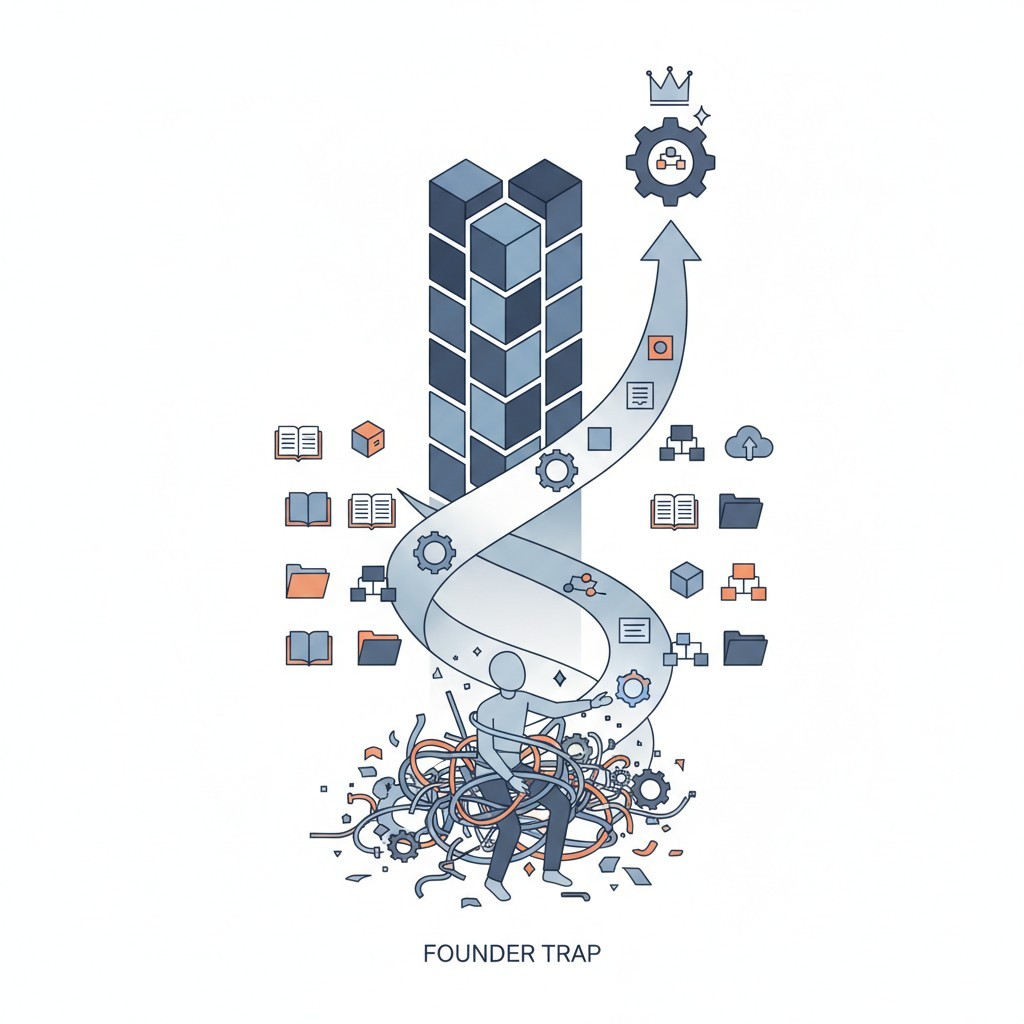
The Hidden Tax: How Operational Chaos is Bleeding Your Business Dry

The Architecture of Operational Freedom: Engineering a Business That Runs Without You

What is an SOP in Business? The Architecture to Escape the Founder Trap

I Built a 6 Million Dollar Company That Couldn't Run Without Me
How to Build a Business That Works (Hint: Systems!)

Employee Onboarding and Training: A Practical Guide for Small and Medium Businesses

How to Write Standard Operating Procedures for Manufacturing: A Field-Proven Blueprint

Essential Quality Control Practices for Operational Excellence

How Standardized Processes Drive Operational Efficiency and Growth